My Notes live in Markdown. My Code lives in GitHub. It was only a matter of time.
All my notes live in Markdown. Everything I ship lives in GitHub. So why was I still flipping to Terminal every time I finished editing a note? I got tired of it. So I fixed it.

I have a confession: I'm a creature of habit when it comes to tooling.
For years, my notes have lived in Markdown. Not because I was forced into it but because I genuinely prefer it. There's something freeing about writing in plain text. No proprietary formats. No mystery around what the file actually contains. Open it in any editor, on any machine, and it just works. Markdown is humble in the best possible way.
And for almost everything else like code, documentation, changelogs, even this app's own roadmap; I use GitHub. Commits are how I think. Diffs are how I review. The repository is the source of truth.
So when I sat down to think about what Mandrill needed next, the answer arrived quickly. Almost embarrassingly quickly. My notes are Markdown. My workflow is GitHub. Of course these two things should talk to each other.
The Missing Link
Here's a scenario I found myself in repeatedly.
I'd open a folder of notes in Mandrill; maybe a collection of meeting notes, a set of ideas I was developing, or documentation for a project. I'd edit a few files. Then I'd flip over to Terminal, remember which folder I was in, and run git add . && git commit -m "update notes" && git push. Every single time. I even made a shortcut.
The cognitive tax wasn't huge, but it was there. A small speed bump between thinking and shipping. And speed bumps compound.
The folder was already a Git repository. Mandrill could see it. The .git folder was right there. All the information needed to understand the state of those files was sitting in plain sight. Mandrill just wasn't looking.
What Changed
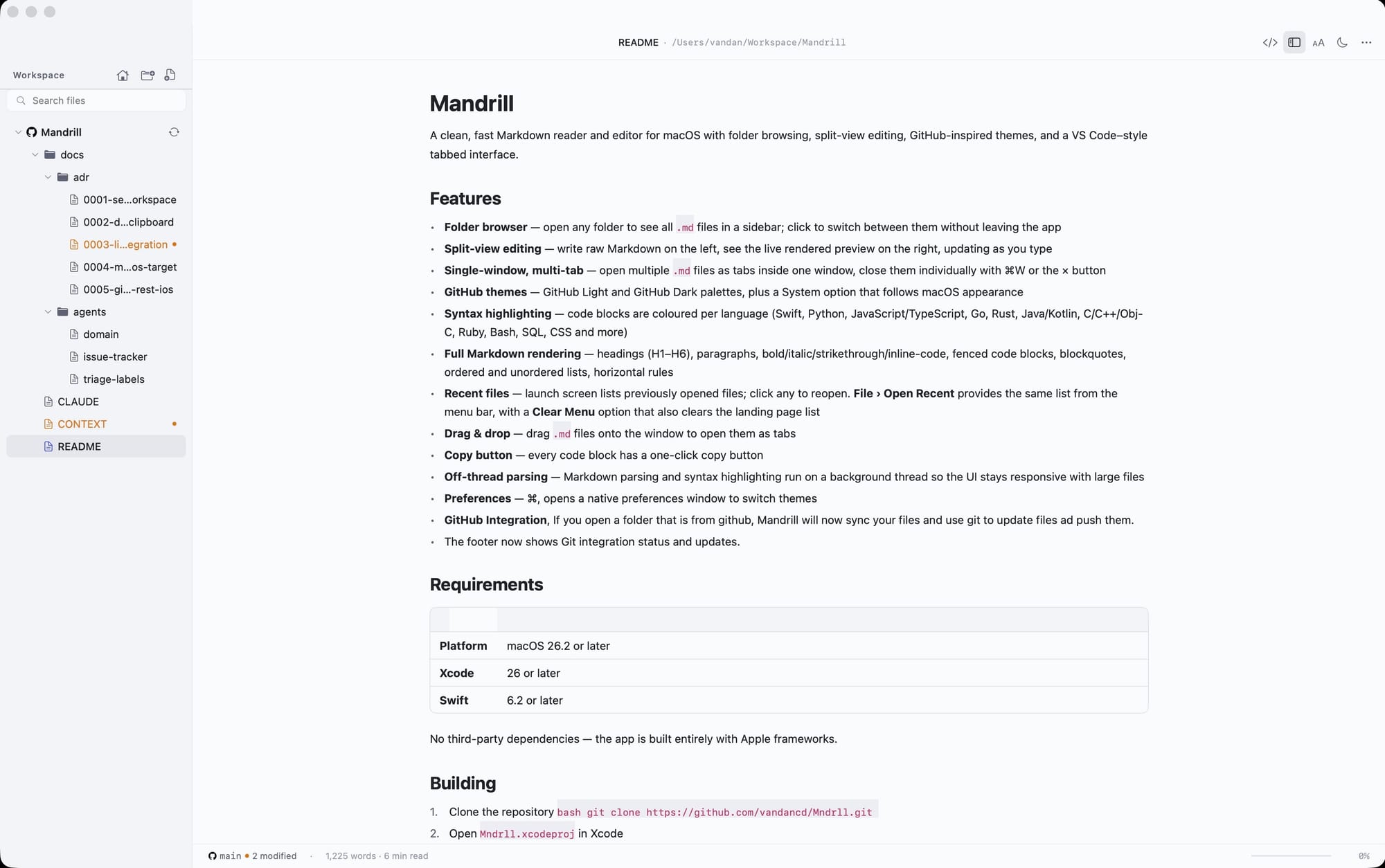
The latest update to Mandrill adds native GitHub integration, and it starts with something small: detection.
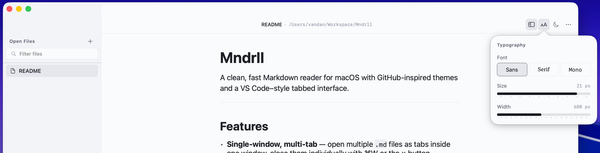
When you open a folder that's backed by a Git repository, Mandrill now recognizes it. You'll see it indicated right in the interface; a subtle but clear signal that this isn't just a folder of files, it's a folder with a history, a remote, and a purpose. The repository context is always visible.
From there, Mandrill tracks the state of your files. Edited a note? You'll see it marked as modified in the sidebar. The visual feedback is immediate; the same kind of awareness you'd get in a proper code editor, now applied to your Markdown notes. You always know what's changed and what hasn't.
And when you're ready to push those changes? You don't need to leave Mandrill. A single action commits and pushes everything to your remote repository. No terminal switch. No copy-pasting paths. No wondering which branch you're on. Your notes are synced with the same gesture it takes to save a document.
Why This Matters (to Me, at Least)
I build Mandrill for myself first. I am, in many ways, the target user: someone who writes a lot of Markdown, thinks in plain text, and lives inside a GitHub workflow. When I add a feature, it's usually because I got tired of working around the absence of it.
This one I got tired of quickly.
There's a particular kind of friction that's hard to articulate until it's gone. It's not painful enough to stop you, but it's present enough to remind you, every single time, that the tools aren't quite working together. Switching to Terminal to push a commit felt like that. A constant small interruption.
Now it's gone. I open a folder, I write, I see what changed, I push. The loop is closed inside a single app.
The Broader Idea
I think a lot about what it means for an app to be native, not just in the technical sense (though Mandrill is genuinely a native macOS app, built with SwiftUI, no Electron in sight), but in the philosophical sense. A native experience respects the way you already work. It meets you in your workflow rather than asking you to change it.
For me and I suspect for a lot of developers, Vibe Coders, solopreneurs, and technical writers, the workflow runs through Git. Notes, docs, changelogs, ideas: if it matters, it lives in a repository.
Mandrill now understands that. And it feels, to be honest, like the app finally clicked into place.
Try It
If you use Mandrill and keep any of your Markdown notes in a Git-backed folder, open that folder in the new version. You'll see the integration light up immediately. The repository is detected, your modified files are tracked, and pushing is one click away.
If you haven't tried Mandrill yet, it's on the Mac App Store. Free to try. No accounts. No telemetry. Just a fast, native Markdown editor that now speaks GitHub fluently.
Your notes deserve version control. They probably already have it. Mandrill just got out of the way.